Reviewed · VANCOUVER ATTRACTIONS & GARDENS
Vancouver: Virtual Reality by Zero Latency – Outbreak
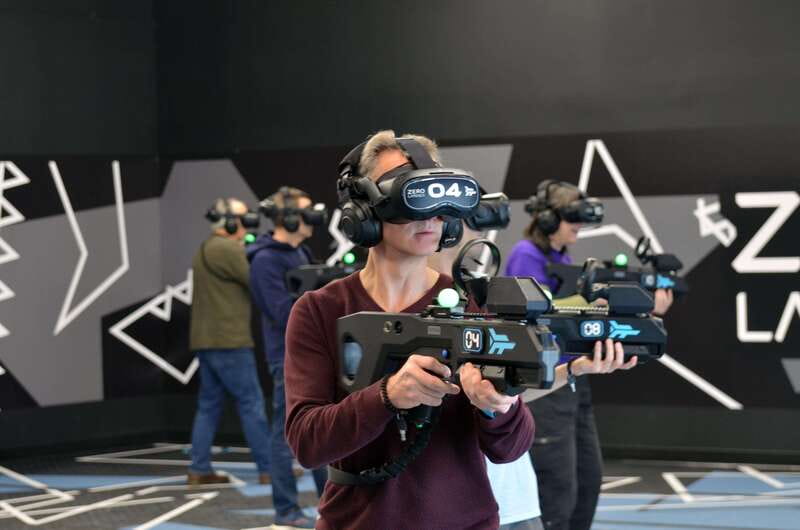
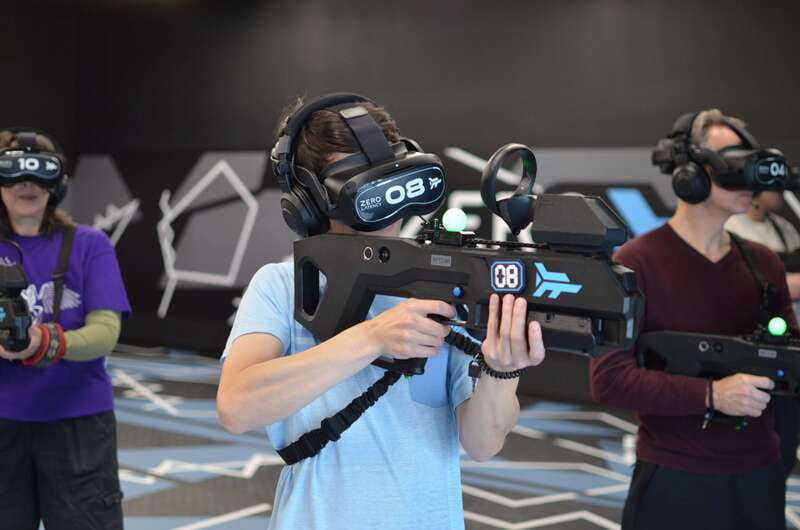
Zombie survival, powered by wireless VR. Zero Latency Outbreak is built for free-roam play in a 1500-square-foot arena, so you move like you mean it—no cables, no tethering, no walls getting in your way. The trade-off: it’s an active session, so plan on comfy footwear and be ready for full-on movement.
I also like the tight structure: 45 minutes total, with 30 minutes of actual in-game time. The group stays small (up to 8), which makes the whole thing feel more personal and less like you’re being funneled through a big line.
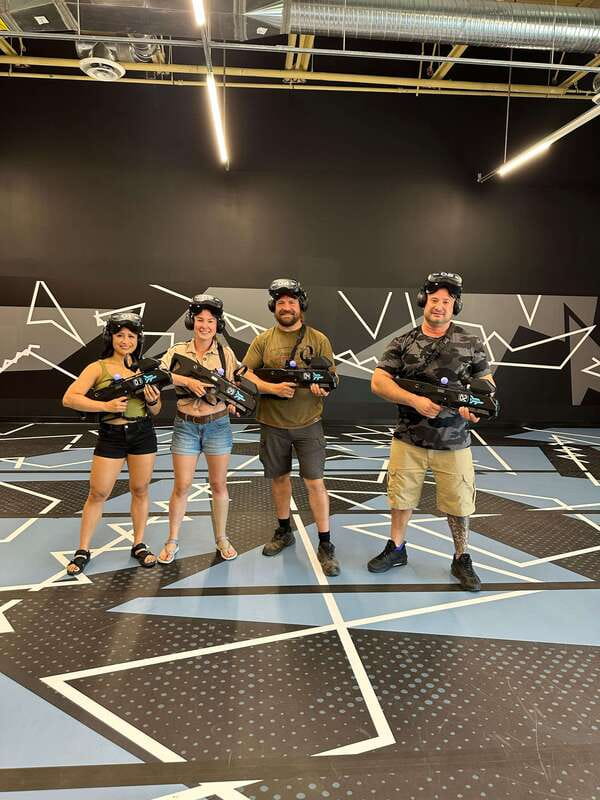
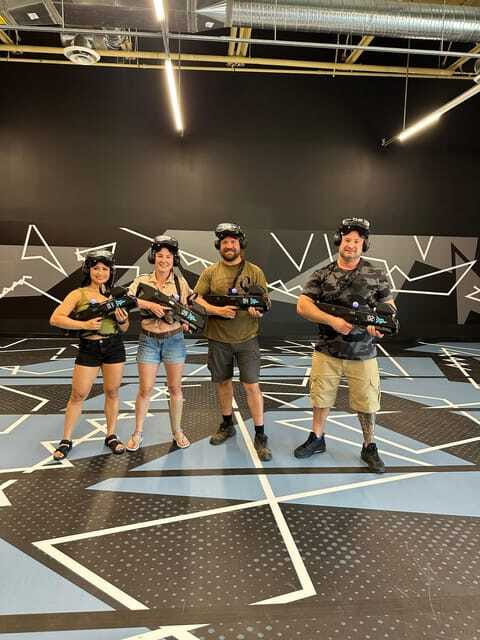
One more plus: after you play, there’s a photo opportunity to grab shots of your survival team, plus access to a debrief area where you can relax and swap stories of how you did.
In This Review
- Key things to know before you go
- Wireless warehouse-scale VR in Vancouver: why it feels different
- The 1500-square-foot arena: what free-roam means in real life
- Outbreak mode: zombies vs robots and how you’ll spend your 30 minutes
- The 45-minute schedule: what happens from check-in to debrief
- Price and value: is $40 worth it?
- Getting there at Kingsgate Mall: simple way to plan your arrival
- Who this suits best (and who should skip)
- Should you book Zero Latency: Outbreak in Vancouver?
- FAQ
- Where is the meeting point for Zero Latency: Outbreak?
- How long is the experience?
- How much of that time is spent playing the game?
- What is the price per person?
- Is this activity suitable for children?
- Do I need to speak English?
- How many people are in a group?
- What should I wear?
- Does the experience use cables or wires?
- Is cancellation allowed, and can I pay later?
Key things to know before you go
- Wireless, no-cable freedom in a warehouse-scale setup
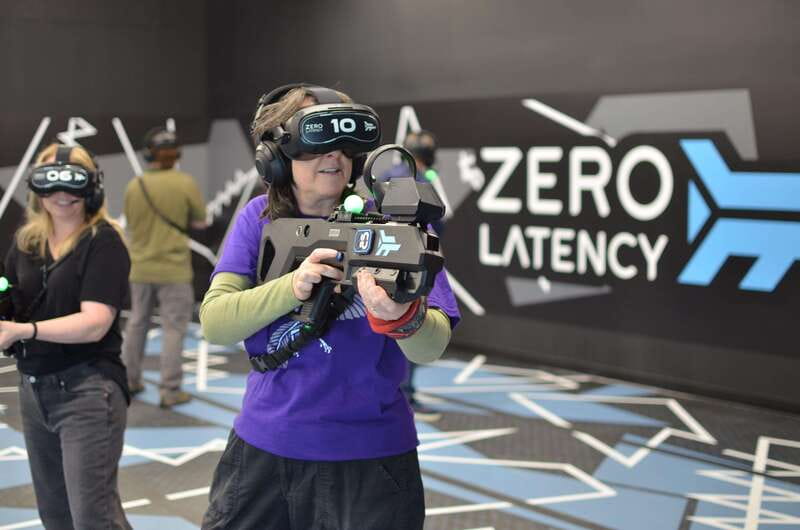
- 1500-square-foot free-roam arena for real movement, not treadmill VR
- 30 minutes in-game inside a 45-minute overall session
- English instructor and small groups of up to 8 participants
- A photo/video moment plus a debrief area after you finish
Wireless warehouse-scale VR in Vancouver: why it feels different
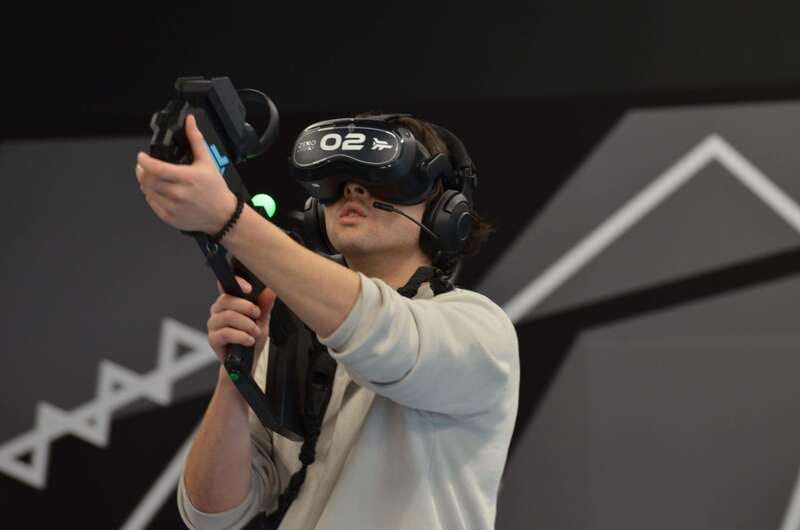
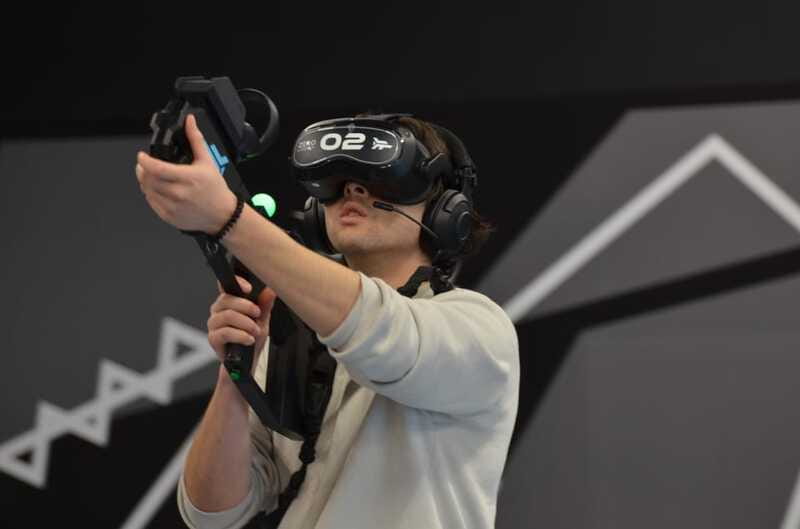
Vancouver already has plenty of big-city distractions, but this experience hits a different nerve. Zero Latency’s model is warehouse scale, which matters because your body gets room to act. This isn’t the kind of VR where you stand still, point, and hope your movement translates. You’ll be in a large free-roam space where you can actually reposition yourself as the action shifts.
The biggest practical win here is the wireless setup. With no cables or wires to manage, you spend less time worrying about snagging gear and more time reacting to what’s happening in the virtual world. That sounds simple, but for most people it’s the difference between a fun VR session and a session where your brain stays half on the equipment.
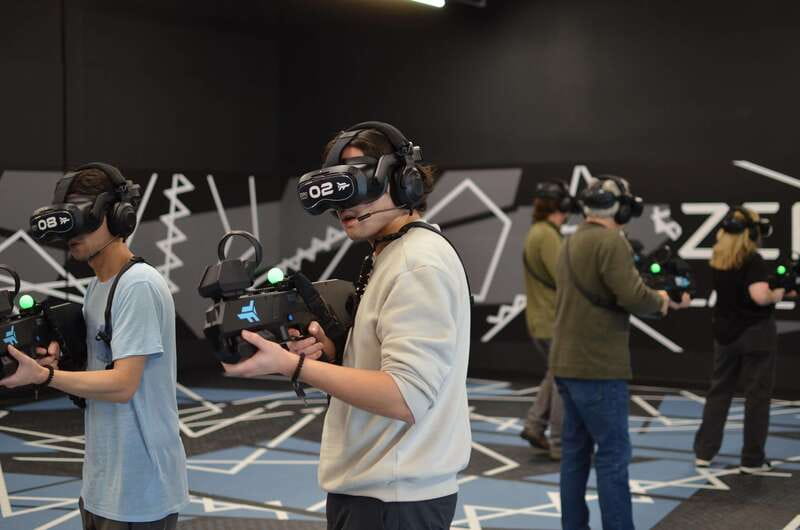
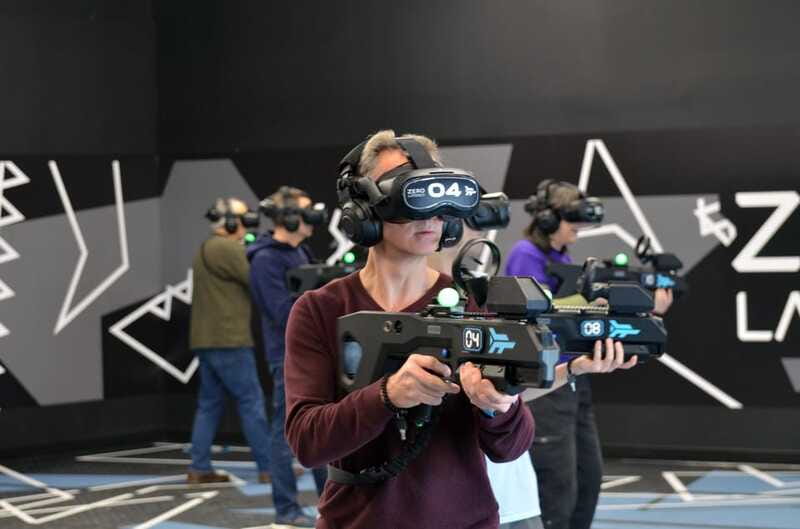
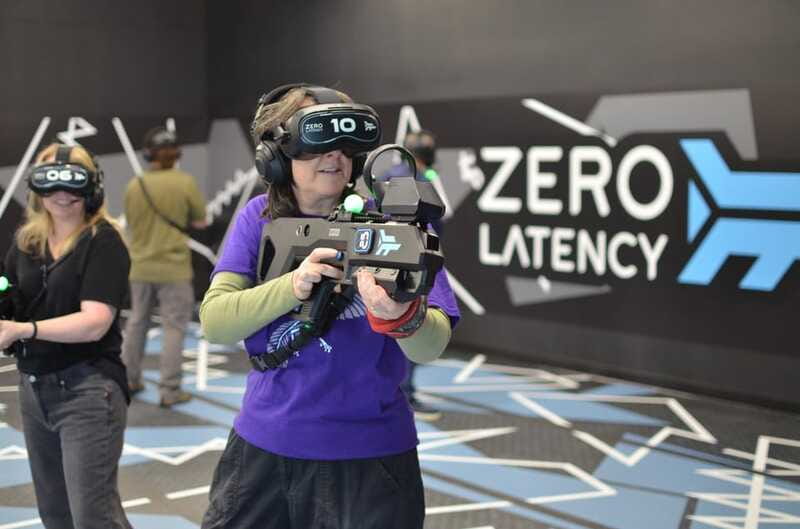
The other big reason it’s worth your attention is the tech: you’re using Zero Latency’s latest 5K headset. Higher-resolution headsets tend to make the visuals feel sharper and text easier to read in-game—small detail, but it helps when you’re trying to focus on targets and surroundings while you’re moving.
And then there’s the game theme. Outbreak lets you choose between fighting off zombies or robots. That choice is handy because it lets you match the experience to your vibe—go for spooky/chaotic zombie energy or switch to a more sci-fi robot fight when you want something different.
The 1500-square-foot arena: what free-roam means in real life
The arena is listed at 1500 square feet, and that number is not just marketing trivia. In VR, “free-roam” can mean anything from a tiny corner to a large space where you can turn around without feeling boxed in. Here, the size is big enough that you’ll feel the difference immediately: you’re not stuck doing one tiny loop.
Also, warehouse scale matters because it changes how the session flows. Instead of crowding multiple people into the same tight track, you’re playing in an actual room with room around you. The experience uses a wireless setup with no wires or cables, so you don’t get that constant tugging, bending, and re-orienting that can happen in wired VR setups.
In one verified booking, the group was the only ones at their scheduled time. That can be a comfort factor for you too. If your time slot happens to be light, you may get extra calm in the room—less waiting, less background noise, and more space to focus. Even when it’s not empty, small group limits (up to 8) help keep the energy under control.
One note to keep you comfortable: you’ll be walking and moving. Wear shoes you can trust. Comfortable, grippy footwear helps you keep your footing as you turn and react fast.
More tickets worth the queue, gardens included
Outbreak mode: zombies vs robots and how you’ll spend your 30 minutes
Your session includes 30 minutes of in-game time, which is a solid length for this kind of action VR. Short enough to feel intense and fresh, long enough to matter. You’re not just trying the tech—you’re doing a real game run where performance and decision-making count.
The core premise is survival against either zombies or robots. That choice helps you tailor the feel:
- Zombies often mean chaotic pressure and fast swings in the action.
- Robots lean more toward a controlled, sci-fi battle vibe.
You’ll be in a guided environment, using the wireless VR system and the 5K headset. The goal is to keep you moving with minimal friction—again, the no cables detail is key. When people talk about VR becoming hard to enjoy, a common culprit is equipment management. Here, the design reduces that.
You also get a photo moment to capture your survival team in action. That’s not just for selfies. It’s a chance to prove it happened—because once you leave, VR sessions can blur together. Having a concrete memory helps.
After your game time ends, you’ll head to the debrief area. That’s where the experience changes tone. Instead of being all action, you get a chance to relax, catch your breath, and share what went right (or what didn’t).
The 45-minute schedule: what happens from check-in to debrief
The listing gives you 45 minutes total, but the experience is built around a simple rhythm: get ready, play hard, cool down, then swap stories.
Here’s how the flow typically works based on what’s included:
1) Arrival and setup
You’ll meet at the West side of Kingsgate Mall, at the corner of Kingsway and Broadway. From there, you’ll get guided into the experience. An English instructor means you can expect the briefing and instructions to be in English.
2) In-game time (30 minutes)
This is the main event: the wireless, free-roam segment in the 1500-square-foot arena, wearing the latest 5K headset. You’ll pick your challenge—zombies or robots—and then play in the warehouse-scale environment.
3) Photo opportunity
After the game, there’s a built-in photo moment to capture your survival team in action. In at least one verified booking, the staff were able to take photos and videos while the group was in the game. If you care about having real action footage (not just posed shots), this is a big deal.
4) Debrief area
You get access to a debrief area to relax and share stories. This is one of those small add-ons that makes VR feel less like a quick gadget test and more like an event you finished together.
Practical tip: treat this like an activity, not a casual stroll. You’re moving and reacting for 30 minutes. Then you’ll sit and talk. Plan your day so you’re not rushing right back into something that needs you to be perfectly fresh.
Price and value: is $40 worth it?
At $40 per person, the immediate question is whether this is a gimmick or a legit experience. Here’s how I’d weigh the value based on what’s included.
First, you get 30 minutes of actual in-game time in a large free-roam VR arena. If your VR plan is mostly about using the tech for a few minutes, that’s a different value equation. But a half-hour of gameplay is enough time to forget about the headset and start focusing on survival and tactics.
Second, you’re getting high-end equipment. The 5K headset is specifically mentioned. That matters because VR quality can vary a lot between experiences, and clarity affects comfort and enjoyment.
Third, the wireless setup is not a minor detail. No cables or wires means fewer interruptions and less mental load. It also usually leads to more natural movement, which makes the whole “warehouse-scale VR” promise actually work.
Fourth, the experience includes a debrief area and a photo opportunity. Again, that turns it from a standalone activity into something you can share, remember, and compare afterward.
Finally, there’s the small group size (up to 8). That’s value in the human sense: you’re less likely to feel rushed or shuffled around.
So yes, $40 is not pocket change, but it stacks up as a strong value if you want a real VR adventure in Vancouver, not a short demo. If you hate active experiences, you might feel it’s too much effort for the price—but if you’re game for movement and you want the wireless free-roam feeling, it’s priced like an activity, and it mostly delivers on that promise.


Getting there at Kingsgate Mall: simple way to plan your arrival
Your meeting point is on the west side of Kingsgate Mall, at the corner of Kingsway and Broadway. That location is useful because it’s recognizable and you can plan around nearby transit or a quick walk from the general area.
The main thing to watch is timing. The session length is fixed (45 minutes), and availability depends on starting times. If you’re the type who likes buffer time for photos, bathroom breaks, or just calming your nerves, build that into your schedule.
Also, since it’s an active activity, don’t show up in anything that limits movement. Comfortable clothing and footwear are your best friends here. If you’re in clothing you can’t bend or run in, the VR will feel harder than it needs to be.
Who this suits best (and who should skip)
This experience is listed as not suitable for children under 12. That’s important not just for age policy, but because this is active movement and fast attention switching. If you’re traveling with younger kids, plan something else for them and treat this as an adult-friendly outing.
This VR session is a great fit for:
- People who want wireless free-roam VR rather than seated or cable-tethered play
- Groups of friends (up to 8 participants max) who want a shared challenge
- Anyone who’s curious about Outbreak’s zombies vs robots choice and wants a full 30-minute game run
It might be a tougher fit if:
- You hate active games or you’re expecting a slow, low-energy “VR show”
- You’re sensitive to movement-based action in gaming (since you’ll be moving around in the arena)
- You’re going with very young kids (again, under 12 isn’t suitable)
Should you book Zero Latency: Outbreak in Vancouver?
I think you should book it if you want one high-impact, tech-forward activity that still feels grounded and social. The warehouse-scale wireless design is the main reason—this is the kind of VR where the room matters, not just the headset.
Book it confidently if you care about:
- A large 1500-square-foot arena with real free-roam movement
- 30 minutes of in-game action inside a 45-minute session
- The chance to get photos and video from the staff during your gameplay
- An English instructor and a small group setup
Skip or think twice if you’d rather avoid an active experience, or if you’re traveling with kids under 12.
If you’re building a Vancouver day that mixes classic sightseeing with something totally different, this is one of the clearest “worth doing once” picks—especially if you’re after the wireless VR sensation that makes the whole idea actually click.
FAQ
Where is the meeting point for Zero Latency: Outbreak?
You meet on the west side of Kingsgate Mall, at the corner of Kingsway and Broadway.
How long is the experience?
The total duration is 45 minutes.
How much of that time is spent playing the game?
You get 30 minutes of in-game time.
What is the price per person?
The price is listed as $40 per person.
Is this activity suitable for children?
It is not suitable for children under 12.
Do I need to speak English?
The instructor is listed as English, and the languages provided are English.
How many people are in a group?
The group is limited to 8 participants.
What should I wear?
Wear comfortable clothing and footwear since it’s an active activity.
Does the experience use cables or wires?
The experience is wireless with no cables or wires.
Is cancellation allowed, and can I pay later?
You can cancel up to 24 hours in advance for a full refund, and you can reserve now & pay later (book your spot and pay nothing today).
The Wider Vancouver Shelf
- Vancouver Half-Day Whale Watching Adventure with Free Photos★ 5.0 · 5,000 reviews
- Big Bus Vancouver Hop-On Hop-Off Sightseeing Tour★ 3.5 · 3,028 reviews
- Victoria & Butchart Gardens Tour with Ferry from Vancouver★ 4.5 · 2,703 reviews
- Vancouver: Covered Whale Watching Adventure with Free Photos★ 4.8 · 2,260 reviews
Tickets, Domes and Garden Gates
- Vancouver City Sightseeing Tour: Capilano Suspension Bridge & Vancouver Lookout★ 5.0 · 1,556 reviews
- Flyover in Vancouver★ 4.5 · 1,177 reviews
- Vancouver: Entry Ticket for the Vancouver Lookout★ 4.6 · 636 reviews
- Vancouver: City+Lookout+Capilano Suspension Bridge Ticket★ 4.8 · 583 reviews
Just Reviewed in Vancouver
- Private Transfer from Vancouver Airport to Cruise Terminal (Port)
★ 5.0 · 3 reviews - Private Chauffeured Airport to Whistler Transfer (YVR – Whistler)
★ 3.5 · 3 reviews - Experience the Beauty of Vancouver’s Forests by Bike/E-Bike
★ 5.0 · 3 reviews - Banff, Moraine Lake, Lake Louise and Columbia Icefield 4 Day Tour
★ 4.5 · 3 reviews - Arrival Transfer: Vancouver Airport YVR – Vancouver by Luxury SUV
★ 5.0 · 3 reviews - Vancouver Waterfront Guided Bike/E-Bike Tour
★ 5.0 · 3 reviews
Vancouver Attractions & Gardens, compared.
 ★ 5.0Vancouver City Sightseeing Tour: Capilano Suspension Bridge & Vancouver LookoutFrom $1451,556 reviews
 ★ 4.5Flyover in VancouverFrom $241,177 reviews
 ★ 4.6Entry Ticket for the Vancouver LookoutFrom $16636 reviews
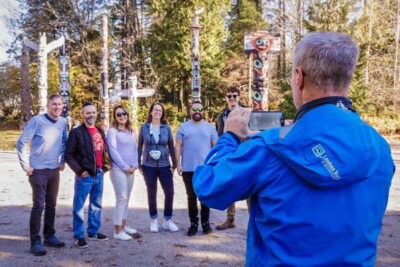 ★ 4.8City+Lookout+Capilano Suspension Bridge TicketFrom $139583 reviews
 ★ 5.0Post-cruise: Vancouver Tour with Lookout & Capilano BridgeFrom $155487 reviews
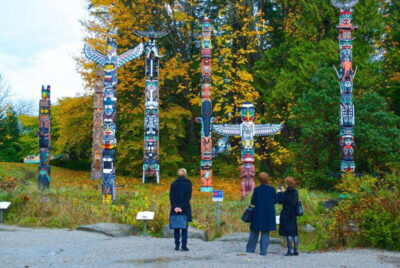 ★ 4.4City + Lookout Tour & Option to Add YVR Drop-OffFrom $83245 reviews
 ★ 4.5Vancouver City Tour with Admission to Lookout TowerFrom $79228 reviews
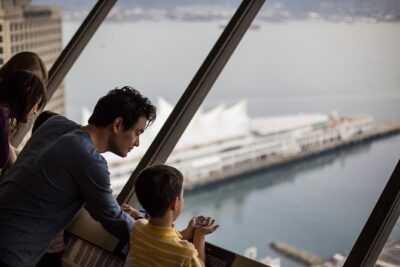 ★ 4.5Vancouver City & Lookout Tour and Option to Add Airport Drop OffFrom $89226 reviews
Browse the lists this tour appears in